Framer Templates for AI and SaaS Startups: A 2026 Guide
If you’re launching an AI product or starting an AI consultancy, your landing page does heavier lifting than a generic SaaS site. Buyers are still figuring out what AI can actually do for them, so the page has to translate abstract capability into specific business value. It also has to build trust faster, because most prospects have been burned by an overhyped tool at least once.
Framer has become the default no-code builder for early-stage AI companies, mostly because the design quality is high enough to look like custom studio work and the publishing flow takes minutes instead of weeks. But picking the right template still matters. The wrong one will fight you every time you try to add a section that doesn’t fit its assumptions.
This guide walks through what to look for in a Framer template for an AI or SaaS startup, how the requirements differ depending on whether you’re selling a product or a service, and two templates worth considering at opposite ends of the price range.
What an AI startup landing page actually needs
The fundamentals don’t change much from any other SaaS site, but the weighting does. A few things matter more in this category than they do elsewhere.
A hero that talks about outcomes, not architecture
The biggest mistake in AI startup pages is leading with the technology. “Powered by GPT-4” or “built on transformer models” tells the visitor nothing about whether your product solves their problem. The hero needs to answer one question: what will be different in their business after they use this. Specific outcomes (hours saved per week, revenue you can attribute, error rates cut in half) beat abstract claims about intelligence or capability. The boring, measurable version of value is what converts in this category.
Trust signals stacked early
For traditional SaaS, you can probably get away with a logo cloud below the hero. AI products need more. Customer testimonials with names, titles, and ideally video. Specific outcomes from case studies, with numbers. Security badges if you handle sensitive data. The skepticism around AI is high enough right now that you have to over-deliver on social proof in the top half of the page.
A “how it works” section that actually explains the process
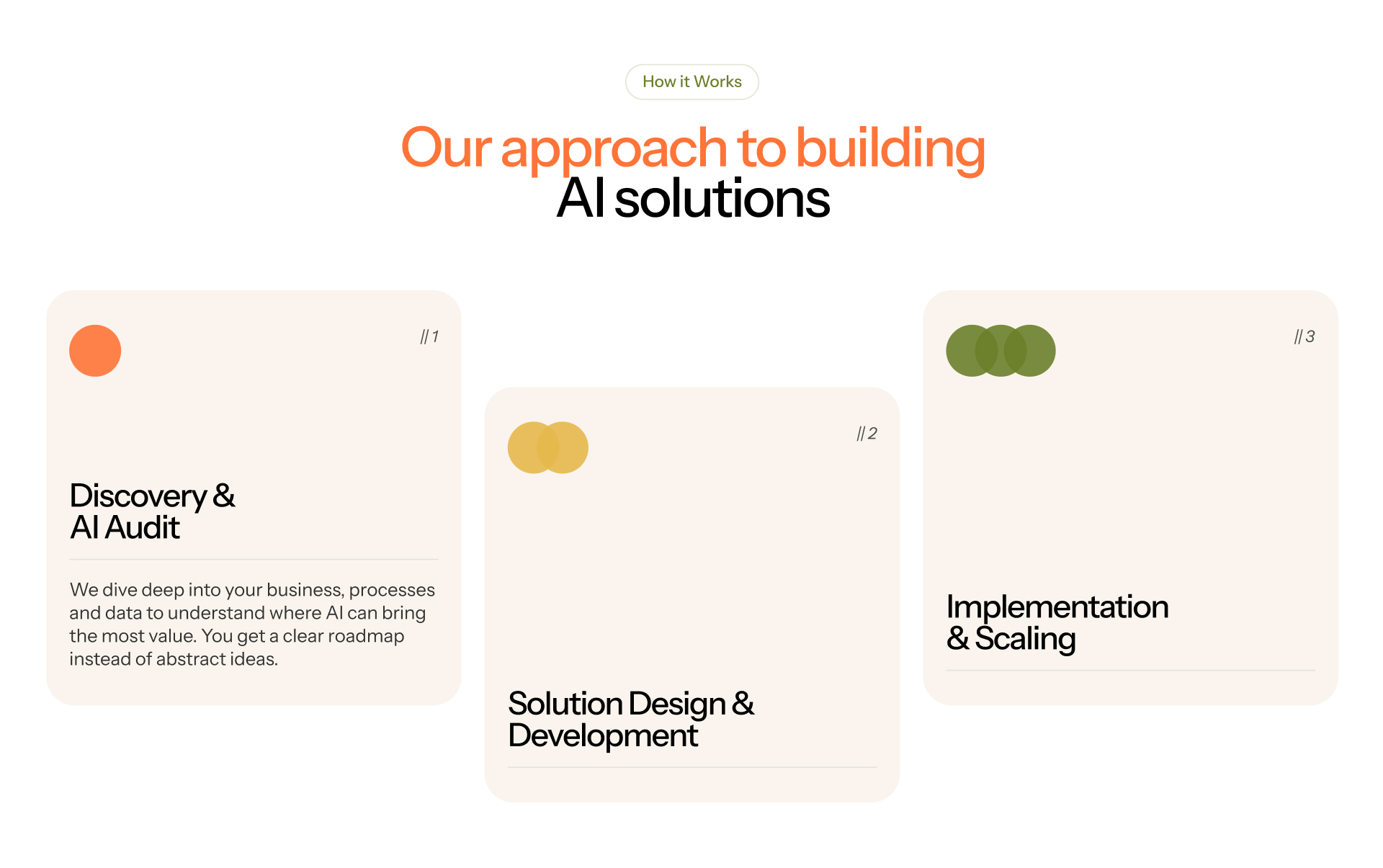
Most AI buyers can’t picture how the tool plugs into their existing workflow. A three or four step diagram showing what happens between sign-up and value (data ingestion, configuration, output, integration) does a lot of the consultative selling for you. Templates that ship with a strong process section save you from designing one from scratch.
Pricing structure that signals seriousness
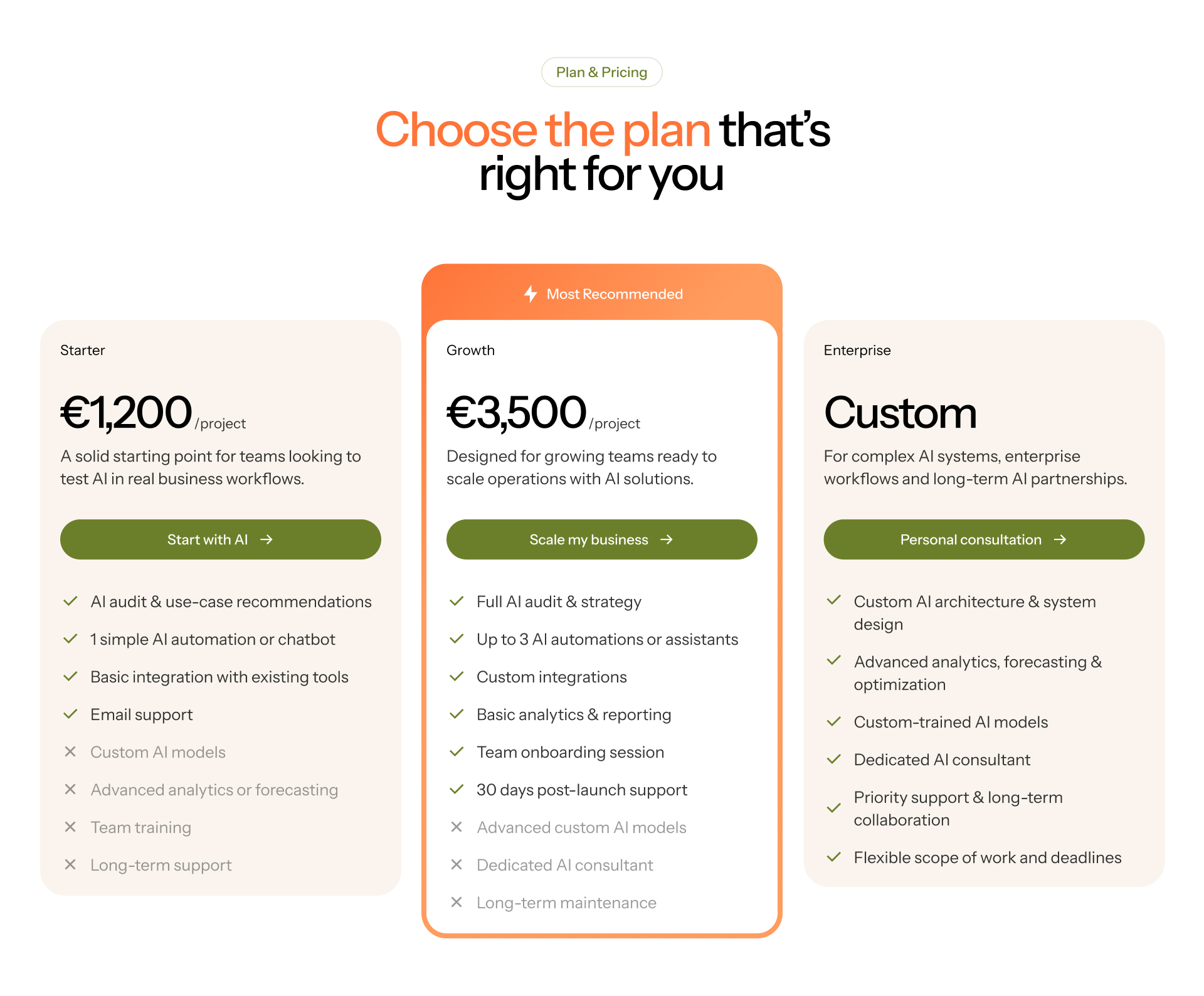
For B2B AI products, the standard Starter / Growth / Enterprise structure works because it tells buyers you’ve thought about who this is for. Single-price templates feel hobbyist. If your template ships with a tiered pricing section that supports custom enterprise quotes, that’s one less thing to build later.
A blog or CMS, not optional
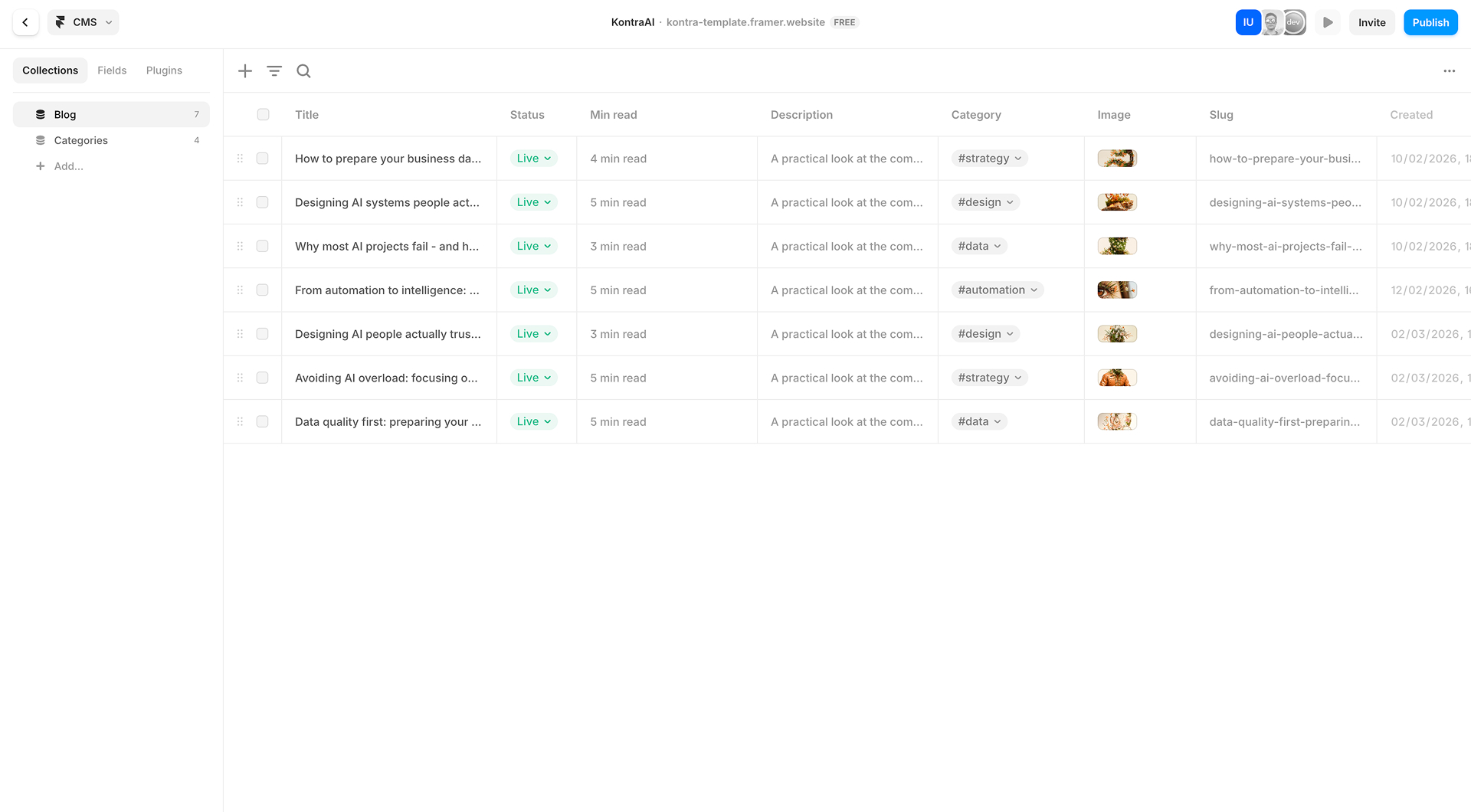
AI is one of the most SEO-competitive niches in tech right now. Long-tail content is how you compete with the big players who already rank for the head terms. Any template you pick should ship with a Framer CMS-based blog out of the box. Building one later is doable but tedious, and the longer you wait the more compounding traffic you lose.
AI agency or AI product: the templates aren’t interchangeable
This is the part most roundup articles skip. “AI templates” gets treated like one category, but there are two completely different businesses in there.
An AI agency or consultancy sells services. The site needs an “About us” page (people buy the team, not just the offer), a process explainer, tiered project pricing, case studies, and ideally a careers page if you’re hiring. The visual register can be more human, more editorial, and less aggressively tech-forward.
An AI product or app sells software. The site needs a feature breakdown, a product UI showcase (often with embedded video or GIFs), integrations, security and compliance sections, and a pricing model based on seats or usage rather than projects. The visual register tends to be darker, more cinematic, more obviously tech.
Trying to retrofit an agency template for a product (or vice versa) is doable, but you’ll spend more time fighting the layout than you would picking the right one upfront.
Kontra: built for AI consultancies and service businesses ($99)
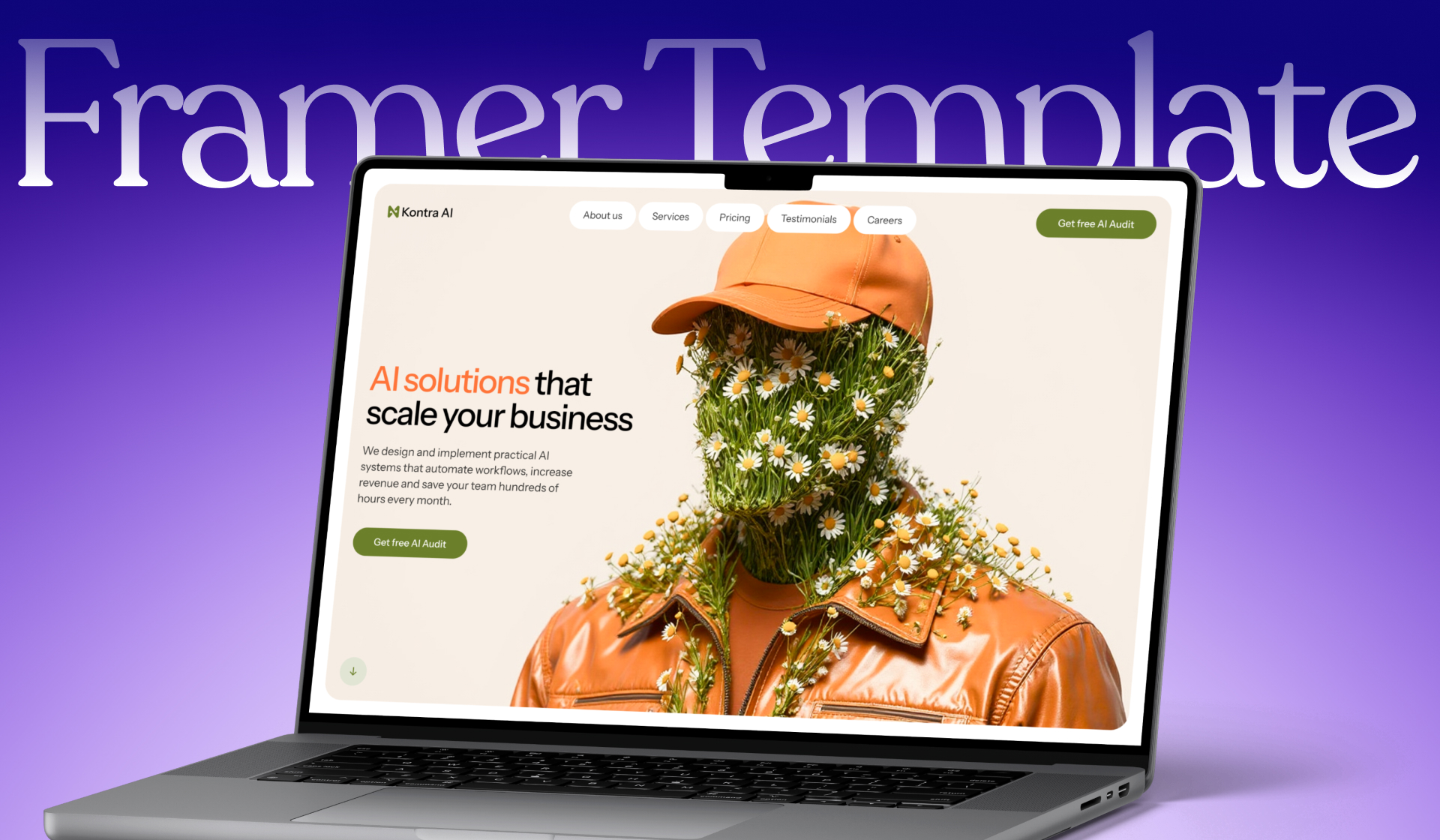
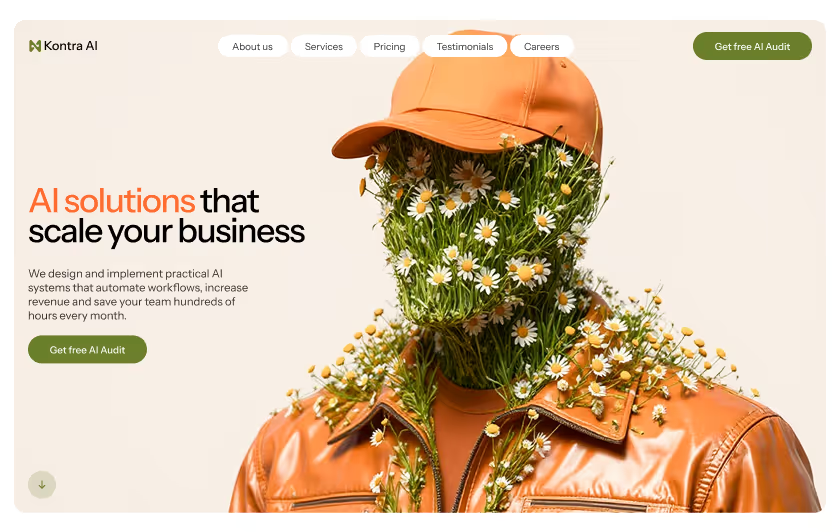
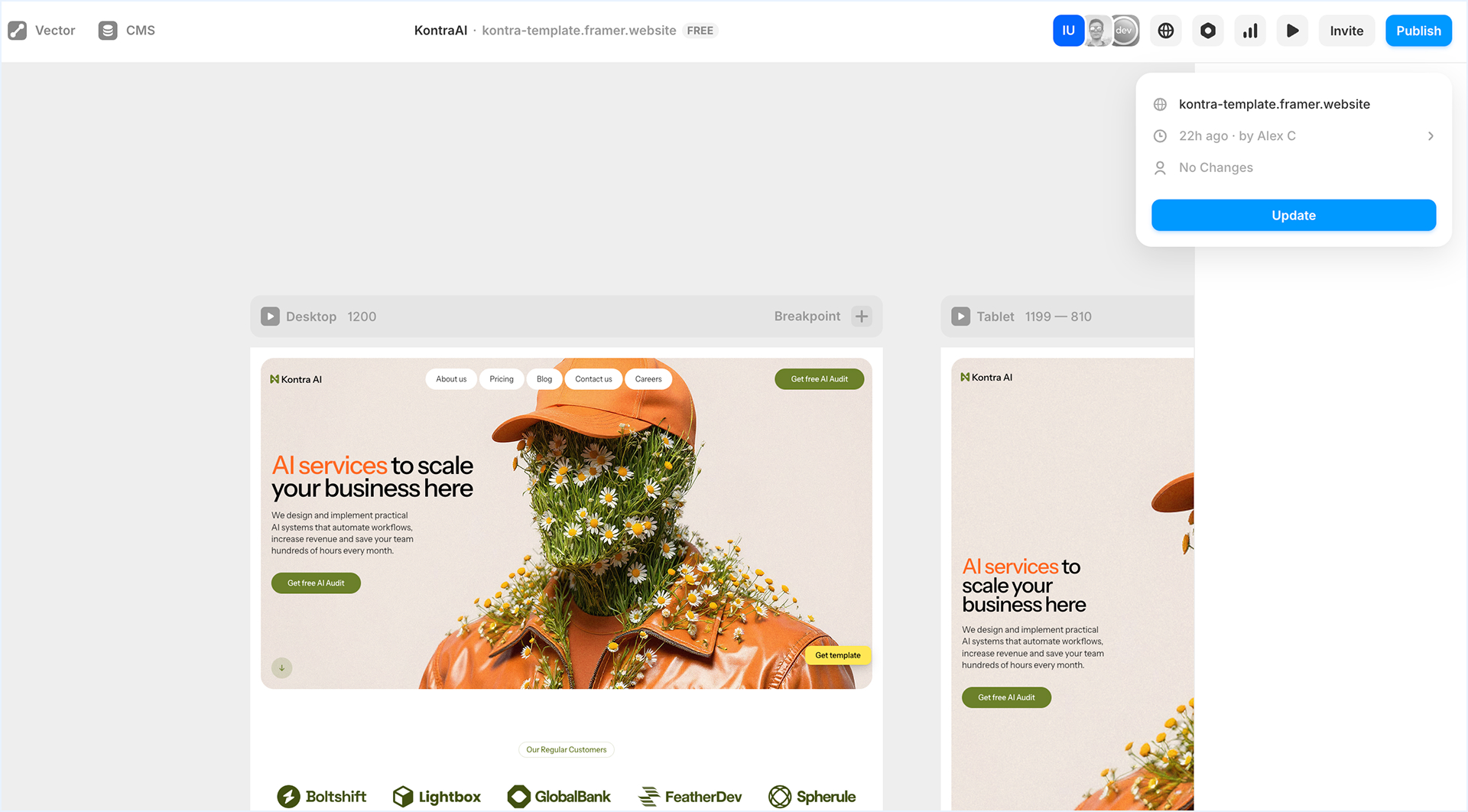
Kontra is a 10-page Framer template designed for AI agencies, consultancies, and service-led AI businesses. It uses a light cream background with orange accent color and surrealist 3D illustration as the visual signature, which lands somewhere between editorial and tech without leaning hard in either direction.
What works well for the agency use case:
A full About page built around team positioning. AI consultancies sell trust, and the About flow makes the team feel real rather than treating it as an afterthought. Three-tier project pricing (Starter / Growth / Enterprise) with the structure most consultancies actually use, including a custom quote tier for larger engagements. A “How it works” section structured as a three-step process (Discovery, Solution Design, Implementation) which maps directly to how AI projects run in practice. A Careers page, which matters more than people think for service businesses trying to grow. Blog CMS with category tags already configured, ready to drop content into.
The orange-and-cream palette is a deliberate choice to stand out from the dark gradient sites that dominate the category right now. If your positioning leans premium and human rather than purely tech, that color direction works in your favor.
Kontra ships at $99, closer to the upper end of the Framer marketplace pricing range, which mostly reflects the page count and the customization that’s been built in.
Avenna: built for AI apps and SaaS products (free)
Avenna sits at the opposite end of the spectrum. It’s free, focused on a single landing page, and built around a deep black-and-blue color palette with cinematic glow effects and motion that suits AI products with a more sci-fi or tech-forward feel.
What works well for the product use case:
Cinematic hero with atmospheric lighting that gives the page a custom-studio feel without paid customization. Product feature sections with space for UI screenshots and animated demos. Use-case grid that lets you show different applications of the product, useful when your AI tool has multiple verticals. FAQ block configured for common product questions like setup time, technical requirements, and integration.
Avenna is closer to a starter pack than a full site. For pre-launch landing pages, waitlists, and early beta sites, that’s actually a feature rather than a limitation, because you spend less time deleting sections you don’t need yet. As the product matures and you start needing pricing pages, blog, and team pages, you’ll either extend Avenna or migrate to something larger.
Because it’s free, it’s also a low-risk way to test Framer as a platform before committing to a paid template later.
Picking between the two (or something else)
If your business sells AI services to other companies, Kontra fits. The page count, the pricing structure, and the editorial visual direction line up with how an AI consultancy converts.
If your business is an AI product or app and you’re pre-launch or in early beta, Avenna gets you live quickly without spending money. Once you have paying customers and a roadmap to communicate, you’ll likely outgrow it, but for the first six months it’s enough.
If you’re looking for something paid that’s product-focused (heavy on UI showcases, dashboard screenshots, integration logos), neither of these is the right pick. Templates like Omrix, Aigen, or Giga are built more around product demos than service positioning.
How to launch fast with a Framer template
A few practical notes for getting from purchased template to live site in under a week.
Replace placeholder copy with your actual value prop before you touch anything visual. Most projects stall because people start customizing colors and layouts before they’ve written the words. Get the hero, the feature descriptions, and the testimonials right first. Everything else is faster once the copy is locked.
Connect your domain through Framer’s built-in DNS flow. It takes about ten minutes and avoids the mess of third-party DNS configuration.
Set up Framer’s per-page SEO panels (title tags, meta descriptions, OG images) before you publish. Skipping this is the most common mistake people make at launch, and it costs you ranking signals that take months to recover.
For the blog CMS, plan your category structure before you start adding posts. Reorganizing later is painful. Three to five top-level categories is usually right for a startup blog.
If you’re integrating analytics, Framer has a clean Plausible integration. Google Analytics also works but requires more setup through Google Tag Manager.
window.addEventListener(‘load’, () => { const observer = new IntersectionObserver( (entries) => { entries.forEach((entry) => { entry.isIntersecting ? entry.target.play() : entry.target.pause(); }); }, { threshold: 0.4 }, );
document.querySelectorAll('video[data-autoplay]').forEach((v) => observer.observe(v));});
FAQ
Are Framer templates SEO-friendly out of the box?
Mostly yes. Framer handles the technical SEO basics (page speed, mobile responsiveness, structured data) automatically. What you still need to do manually is fill in title tags, meta descriptions, OG images, and a sitemap. Templates with a built-in CMS for blogging give you a meaningful head start on the content side.
Can I edit a Framer template without design experience?
Yes. The editor works similarly to Figma but with publishing built in. If you've used Webflow, Squarespace, or any modern site builder, you can edit a template. The harder part is usually deciding what to delete from the template, since most ship with more sections than a focused startup actually needs.
How long does it take to launch a site from a template?
Realistically, three to seven days if you have your copy and assets ready. The work splits roughly into copy and content (about half the time), visual customization (a quarter), and SEO setup plus testing (the rest). The biggest variable is how much your business deviates from the template's original structure.
What's the difference between a free and paid Framer template?
Free templates tend to cover one or two pages and work as starter packs or waitlist sites. Paid templates ship with full multi-page structures, tiered pricing layouts, blog CMS configurations, and more polish in components and motion. For early-stage products, free is often enough. For service businesses or anything past launch, paid usually pays for itself in saved customization time.
Do I need to host the site anywhere else?
No. Framer hosts your site directly and handles SSL, CDN, and performance optimization. Custom domains plug in through Framer's panel. There's no separate hosting bill.
Can I switch templates later if I outgrow one?
Yes, but you'll redo most of the work. Framer doesn't offer a one-click migration between templates. The closest equivalent is duplicating your content into a new template and rebuilding the structure. Worth planning for once at launch (so you don't pick something you'll outgrow in three months) rather than treating it as an ongoing option.
Keep reading